
Tour Website Getting Traffic but No Bookings? 9 Causes and How to Fix Them
Your tour website gets visitors from Google, social media, and paid advertising, but those visitors aren’t turning into confirmed bookings. You can see the traffic in Google Analytics 4 (GA4), yet your booking calendar remains nearly empty.
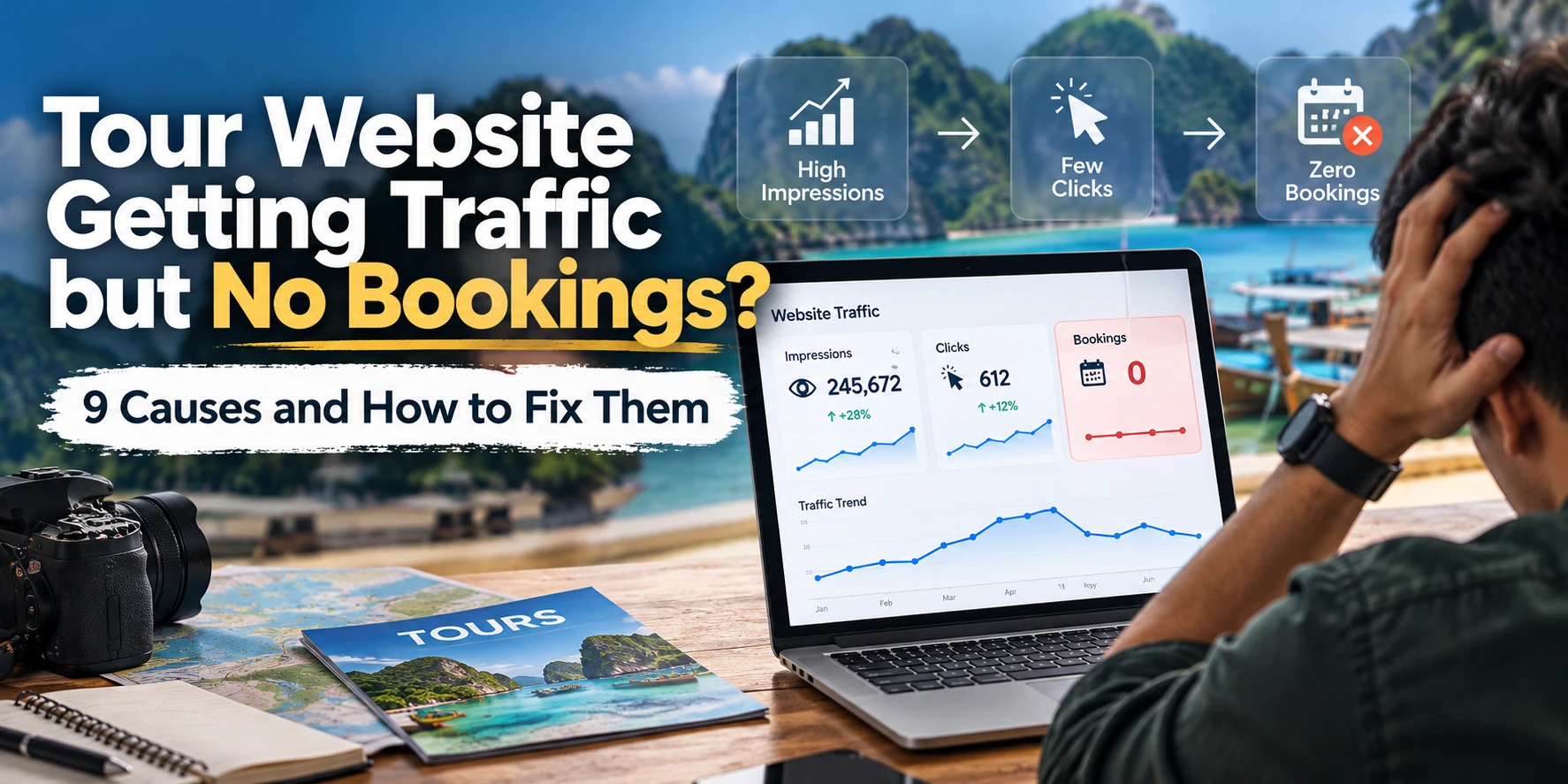
- Traffic without bookings almost always comes from one of five things: wrong-intent traffic, unclear tour pages, availability or pricing that doesn’t fit, booking friction, or GA4 not recording the sales.
- Diagnose the category first. Fixing your checkout won’t help if the visitors were never looking to book.
- There’s no universal “good” conversion rate for tours. Benchmark against your own numbers, split by tour, device and traffic source.
- The nine most common fixes: a clear booking button, transparent prices and fees, smoother booking software, faster mobile pages, visible availability, more trust information, a shorter checkout, real photos of the experience, and compliant follow-up on incomplete bookings.
- Build a GA4 booking funnel (
view_item→purchase), make sure confirmed bookings are actually tracked, and fix the stage with the biggest revenue impact first.
A tour website can receive traffic without generating bookings because visitors have the wrong search intent, cannot find suitable tour dates or prices, encounter friction during checkout, or are completing bookings that your analytics isn’t tracking correctly.
The solution isn’t automatically to attract more visitors. It’s to identify where the booking journey breaks down and correct the problem preventing visitors from becoming customers.
In this guide, you’ll learn how to diagnose low tour website conversion rates, identify nine common booking problems, and measure which improvements actually generate more direct bookings.
Why Is Your Tour Website Getting Traffic but No Bookings?
Website traffic measures visits. Bookings measure completed reservations. These metrics represent different stages of the customer’s journey and shouldn’t be treated as interchangeable.
A traveler might discover your kayaking business while researching a destination, compare several tour options, check your availability, and eventually book with another operator.
Another traveler might be ready to book immediately but leave because your booking calendar doesn’t work on their phone.
Both visitors appear in your traffic reports, but their reasons for not booking are completely different.
Most low-booking situations fall into five categories:
- Traffic qualityVisitors are researching destinations rather than looking to purchase tours.
- Tour page experienceVisitors cannot quickly understand the experience, price, availability, or booking process.
- Availability and offerThe dates, group sizes, departure times, or prices don’t match travelers’ needs.
- Booking frictionCustomers encounter slow widgets, confusing forms, unexpected fees, or payment problems.
- Measurement gapsBookings occur, but GA4 fails to record them or attribute them correctly.
Identifying the right category matters because improving a checkout form won’t solve an irrelevant-traffic problem.
How to identify your tour website’s biggest conversion problem
| What you notice | Likely explanation | What to investigate first |
|---|---|---|
| High blog traffic but few tour bookings | Informational search intent | Landing pages and organic search queries |
| Tour pages receive visitors but few booking clicks | Weak offer presentation or unclear CTA | Pricing, reviews, page layout, and availability |
| Many calendar opens but few date selections | Limited availability or scheduling friction | Open dates, departure times, calendar usability |
| Many checkout starts but few purchases | Checkout or payment friction | Required fields, fees, payment errors |
| Booking software shows sales but GA4 doesn’t | Missing purchase tracking | Booking engine integration and event setup |
| Mobile traffic is high but bookings are low | Possible mobile usability problems | Device-level funnel and booking-widget tests |
Use this table as a starting point, not a final diagnosis. For example, a low mobile conversion rate could reflect differences in visitor intent rather than a technical failure.
What Is a Good Conversion Rate for a Tour Booking Website?
A tour website’s booking conversion rate is the percentage of visits or visitors that result in completed bookings, depending on the measurement method.
For a session-based conversion rate, use:
If your tour website receives 5,000 sessions and 75 of those sessions produce a completed booking, its session booking conversion rate is 1.5%.
However, a sitewide conversion rate can be misleading.
Destination blog articles often attract early-stage travelers. Tour detail pages typically serve visitors who are closer to booking. Paid advertising and branded searches may also attract audiences with different levels of purchase intent.
For a useful diagnosis, compare booking rates across:
- Organic search, paid search, direct traffic, and social media
- Mobile and desktop visitors
- Destination guides and individual tour pages
- New and returning visitors
- Specific tours, destinations, and departure dates
9 Reasons Your Tour Website Isn’t Converting Visitors Into Bookings
1Your Tour Pages Don’t Have a Clear Booking Button
Visitors reach your tour page but cannot immediately find a clear next step.
A tour detail page should help travelers understand what they can book and how to reserve it. If the main booking action sits beneath a long itinerary, image gallery, or several promotional sections, some visitors may leave before finding it.
Place a concise booking summary near the beginning of the page. Include the tour name, starting price, duration, departure location, key inclusions, and a prominent button labeled “Check Availability” or “Book Now.”
If live availability is not displayed in the initial view, the button should open the date-selection process directly.
On mobile devices, consider a sticky booking button that remains accessible without hiding important content.
2Your Tour Prices and Additional Fees Aren’t Clear
Travelers cannot accurately estimate the cost before beginning checkout.
Tour buyers compare competing experiences using more than the advertised starting price. They may need to account for children, private-group rates, equipment rentals, taxes, transportation, and booking fees.
When important costs appear only at payment, travelers may abandon the reservation.
Display the starting price on every tour listing and detail page, with an explanation of what the price covers.
If the displayed price is per person, say so. If prices change by date, season, age, or group size, make that distinction easy to understand.
Show mandatory fees and total payable amounts as early as practical, before asking for payment information.
3Your Booking Software Creates Friction
The visitor moves from your website to a slow, confusing, or visually inconsistent booking interface.
Tour operators commonly rely on third-party reservation systems for availability, payments, confirmations, and inventory management.
These systems can be effective, but certain integrations introduce friction. An external checkout may load slowly, lose the previously selected tour, require unnecessary navigation, or behave differently on mobile.
A change of domain alone is not proof of a conversion problem. The real concern is whether travelers can recognize the business and complete their reservation easily.
Test the entire booking journey from the tour page to the confirmation screen.
Where your booking provider supports it, use an integrated booking experience that preserves tour selection, dates, and customer information.
If checkout happens on another domain, maintain recognizable branding, confirm that payment pages are secure, and configure cross-domain measurement correctly.
4Your Tour Website Loads Too Slowly on Mobile
Mobile visitors struggle to interact with essential booking elements.
Tour websites frequently use high-resolution photography, destination videos, interactive maps, review widgets, and booking scripts.
These elements help sell an experience, but poor implementation can delay page rendering or prevent booking controls from responding promptly.
Test your most important tour pages and the booking process on actual mobile devices.
Use Google PageSpeed Insights to identify performance problems. Pay particular attention to Largest Contentful Paint (LCP), Interaction to Next Paint (INP), and Cumulative Layout Shift (CLS).
Resize oversized images, use modern image formats, defer unnecessary scripts, and avoid loading below-the-fold media until needed.
Don’t automatically lazy-load the main hero image if it is your page’s largest visible element; that can delay the content visitors need first.
Also test the booking widget itself. A fast tour page doesn’t guarantee a fast reservation experience.
5Visitors Can’t Find Tours Available on Their Travel Dates
Travelers want to book, but suitable departures aren’t visible or available.
A visitor researching a sunset cruise for Friday may not book a tour that only departs on Monday. Likewise, someone booking for a family of five may leave if the calendar doesn’t clearly show group capacity.
Availability is therefore both an operational factor and a conversion factor.
Connect tour pages to accurate, up-to-date inventory.
Show available dates and departure times early in the booking journey. Make it clear when a tour is sold out, seasonal, weather-dependent, or available only for certain group sizes.
Where practical, offer nearby dates, alternative departure times, comparable experiences, or a waitlist.
Never display false scarcity or inaccurate availability to pressure a booking.
6Your Tour Pages Don’t Give Travelers Enough Confidence to Book
Travelers don’t have sufficient evidence that your experience is legitimate, suitable, and worth the price.
Booking a tour involves uncertainty. Customers may be unfamiliar with your business, the destination, the activity, or the risks involved.
Before paying, they want answers to questions such as:
- Is this experience suitable for beginners or children?
- What happens if the weather changes?
- Where do we meet our guide?
- What is included in the price?
- Can we cancel or reschedule?
- Have other travelers enjoyed this exact experience?
Include genuine, recent customer reviews relevant to the tour. Add a clear itinerary, meeting instructions, accessibility information where relevant, suitability requirements, and a plainly written cancellation policy.
Show actual guides and equipment, and include applicable operator credentials and safety information.
Place the most decision-relevant information near the booking area rather than forcing visitors to search through unrelated pages.
7Your Checkout Process Asks for Too Much Information
Customers abandon checkout because the reservation process requires unnecessary effort.
A complicated checkout may ask travelers to create an account, complete several forms, or repeatedly enter information they have already supplied.
Some information is genuinely essential. Names, participant details, medical or safety declarations, and contact details may be required depending on the activity.
The objective is not to remove necessary information. It is to collect each detail at the appropriate stage.
Review every checkout field and determine whether it is needed to confirm payment, reserve capacity, meet safety requirements, or prepare the experience.
Allow guest checkout where supported. Preserve selections when visitors return to an earlier step, and explain validation errors clearly.
Collect optional preferences after booking when it is safe and operationally appropriate to do so.
8Your Tour Pages Don’t Show the Actual Experience
Visitors cannot confidently picture what they are purchasing.
A generic image of a tropical beach doesn’t necessarily communicate what a specific snorkeling tour includes.
Travelers need to evaluate the real experience: the boat, equipment, route, guide, group size, scenery, and level of physical effort.
Use genuine photographs showing the actual tour experience.
Include images of the activity, guides, equipment, meeting point, and relevant facilities. Add descriptive captions and alt text that accurately identify the image.
Organize your media around questions travelers need answered. For example, a family-oriented kayaking tour might show the available safety equipment, tandem kayaks, and typical group setup.
Avoid using images that exaggerate or misrepresent what customers will receive.
9You Don’t Follow Up With Incomplete Bookings
Travelers begin a reservation but leave without completing payment.
Not every abandoned booking indicates dissatisfaction. Visitors may get interrupted, need to confirm plans with another traveler, or want more time to compare dates.
If your booking system supports compliant abandoned-booking follow-up, some of these visitors may return.
Check whether your reservation platform can identify incomplete bookings and send recovery messages to eligible contacts.
Where legally permitted and supported by the customer’s consent or another valid legal basis, send a useful reminder containing the tour details and a link to resume the reservation.
Avoid implying that inventory has been reserved unless it actually has.
You can also follow up with customers who submit a legitimate booking inquiry but haven’t yet confirmed a reservation.
How to Find Booking Funnel Drop-Offs in Google Analytics 4
Google Analytics 4 can help identify where visitors stop progressing through the booking process, provided the appropriate events are correctly implemented.
A useful tour booking funnel contains these stages:
| Booking stage | Suggested GA4 event | What it tells you |
|---|---|---|
| Tour detail viewed | view_item | Which bookable tours users view |
| Availability opened | check_availability | Whether users engage with the calendar |
| Tour/date selected | select_item | Which tours or options users select |
| Checkout started | begin_checkout | Whether users enter the purchase process |
| Payment information submitted | add_payment_info | Whether users reach the payment stage |
| Booking confirmed | purchase | Which completed reservations generate revenue |
check_availability is a suggested custom event. The other events are GA4-recommended ecommerce events where their definitions match the actual customer action.
Set up a booking funnel in GA4
- Open GA4 and navigate to Explore → Funnel exploration.
- Create funnel steps for your actual customer journey. Depending on the booking platform, this might include a tour detail view, availability interaction, checkout start, and completed purchase.
- Segment the funnel by device category, traffic source, and tour where the necessary event data is available.
- Compare progression rates at each stage to identify where the largest number of potentially valuable bookings is being lost.
- Investigate that stage directly by testing the website, examining the booking platform, and reviewing the relevant audience segment.
A high percentage drop-off is not automatically the highest business priority. Consider how many users are affected, how likely they are to book, and the revenue associated with the stage.
What if GA4 doesn’t track your booking software?
Some tour operators use reservation providers that handle payment on a separate domain.
If the booking platform doesn’t send confirmed purchases to GA4, your website may record a booking-button click without recording the sale.
In that situation, your analytics can understate conversions or assign them to the wrong channel.
Check whether your booking provider supports GA4 ecommerce tracking, Google Tag Manager, cross-domain measurement, or server-side purchase-event integrations.
Ensure completed transactions are recorded only after confirmation, ideally with a unique transaction ID to help prevent duplicate purchase reporting.
Tracking a booking-button click is not the same as tracking a successful booking.
Which Tour Website Problems Should You Fix First?
When several issues exist, prioritize the problem that has the strongest evidence of revenue impact.
Start by asking three questions:
- How many potential customers encounter the problem?
- How much booking intent have those visitors already demonstrated?
- How much effort is required to test and correct the issue?
For example, a broken mobile payment process may deserve immediate attention because it prevents customers who are already ready to pay from completing their purchases.
A poorly performing informational blog post may be less urgent because many visitors were not ready to book in the first place.
A practical booking revenue example
Suppose a tour website receives 5,000 monthly sessions and 50 confirmed bookings, with an average booking value of $200.
This is an illustrative calculation, not a guaranteed outcome. Real results depend on demand, capacity, pricing, visitor intent, and the effectiveness of the changes.
The lesson is that conversion improvements can increase the value of existing traffic, but only when they address the actual reason customers aren’t booking.
Tour Website Conversion Optimization Checklist
Use this checklist to review your most important tour pages and reservation experience.
- Commercial-intent visitors can find the correct tour pages.
- Tour pages display a clear booking action.
- Prices, inclusions, taxes, and fees are understandable.
- Available dates and departure times are accurate.
- The booking widget works reliably on mobile.
- Checkout preserves the selected tour and departure date.
- Tour pages contain authentic images and relevant reviews.
- Cancellation and safety information are accessible.
- Checkout only requests necessary information.
- GA4 records confirmed purchases and revenue accurately.
- Follow-up processes comply with applicable privacy and consent requirements.
When Should a Tour Operator Get a Booking Funnel Audit?
A booking funnel audit is useful when your website receives meaningful traffic but produces fewer direct reservations than expected, or when your analytics cannot explain why travelers abandon the booking process.
A proper audit should examine the complete path from search visibility to confirmed revenue.
That includes organic search intent, tour landing pages, pricing and availability presentation, mobile usability, booking software, checkout functionality, and GA4 tracking.
It should also distinguish website problems from demand, pricing, inventory, and marketing-channel problems.
Getting traffic but not enough tour bookings?
Book a free consultation to discuss your tour website, identify possible booking obstacles, and determine which improvements deserve attention first.
Frequently Asked Questions
Why is my tour website getting visitors but no bookings?
Your traffic may include travelers who are only researching destinations, or your tour pages may have unclear prices, limited availability, weak trust signals, or difficult checkout steps. Missing conversion tracking can also make successful bookings appear invisible in your analytics.
How can I increase direct tour bookings without spending more on ads?
Improve high-intent tour pages, make prices and availability easier to find, simplify checkout, and confirm that bookings are tracked accurately. Prioritize the parts of the reservation process where qualified visitors are dropping out.
What is a good booking conversion rate for a tour website?
There is no single reliable rate for every tour business. Booking performance varies by activity, destination, price, season, availability, and traffic source. Compare your own conversion rate over time and segment it by tour page, device, and acquisition channel.
Why do visitors check tour availability but not book?
Visitors may find that their desired departure date is unavailable, the total price exceeds their budget, or the booking process is difficult. Some are still comparing alternatives. Track availability selections and checkout starts to narrow down the cause.
Does tour booking software affect website conversion rates?
Yes. Booking software influences how customers select dates, enter details, pay, and receive confirmations. Slow interfaces, excessive steps, payment problems, and poor mobile usability can interrupt bookings. The software’s analytics integrations also affect how accurately you measure sales.
How do I track tour bookings in Google Analytics 4?
Implement GA4 ecommerce events such as view_item, begin_checkout, and purchase where appropriate. Connect the purchase event to confirmed reservations, include relevant transaction and revenue details, and validate tracking across any external booking domain.
Can SEO increase bookings on a tour website?
Yes, when SEO attracts visitors with relevant commercial intent and sends them to pages that make booking easy. Targeting tour-specific queries, such as an activity combined with a destination, may produce more qualified visitors than relying only on broad destination guides. Rankings alone do not guarantee bookings.