
How to Turn On AI-Powered Messaging in Google Business Profile (2026 Guide)
Eligible businesses can now let an AI agent answer customer questions straight from Google Search and Maps. Here’s who qualifies, how to set it up, how the AI finds its answers, and what it does (and doesn’t) mean for local SEO.
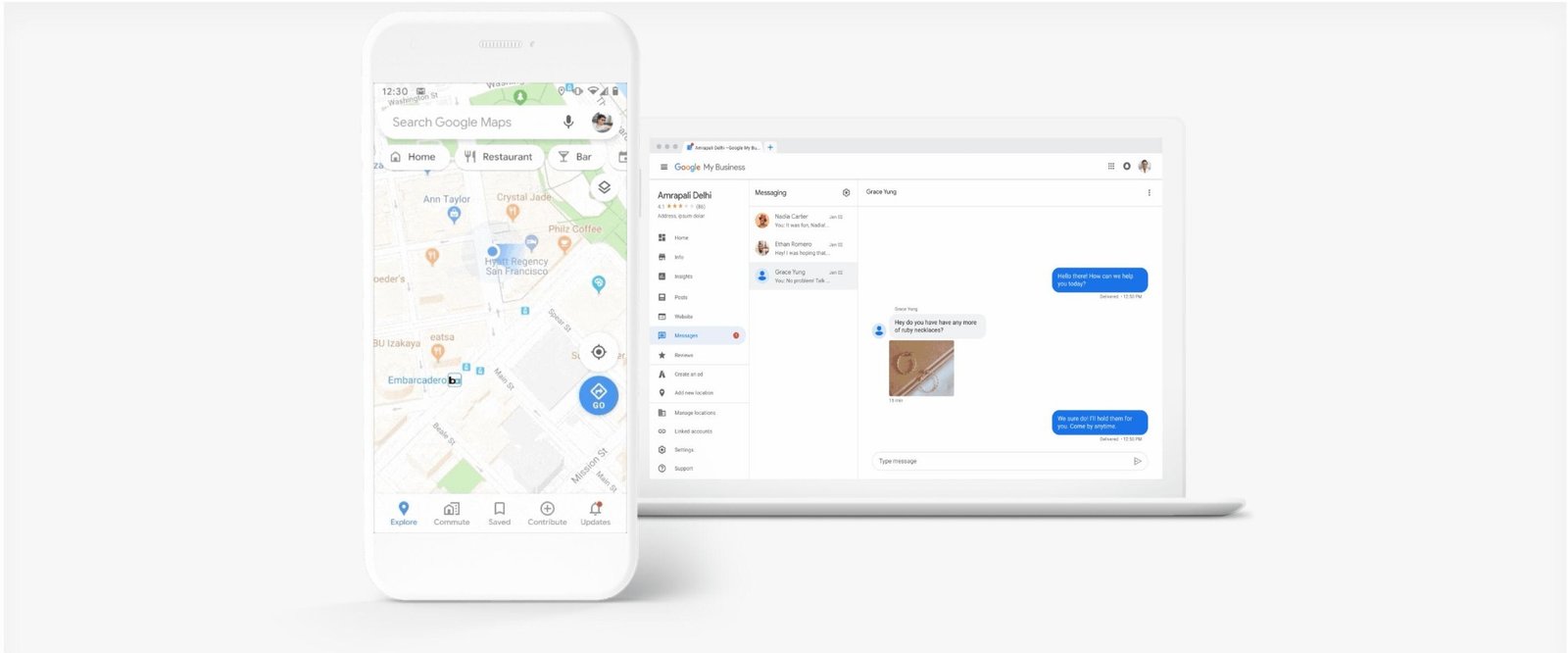
- Google Business Profile AI messaging lets customers message an eligible business from Search or Maps, with an AI agent answering common questions over RCS for Business.
- It’s a limited rollout: the U.S. (select carriers), UK, France and Germany, for restaurants, beauty services and vehicle services. The Philippines isn’t on the list.
- A verified Business Profile isn’t enough. You also need to pass a separate RCS business confirmation using official registration details.
- The AI draws on your Business Profile details and verified website URLs, so accurate, consistent information matters more than ever.
- There’s no evidence it directly improves Maps rankings. Its value is in answering customers faster and passing real leads to your team.
Google Business Profile AI messaging is an RCS-based customer messaging feature that lets eligible businesses automate answers to common questions using their verified business information and website, with a handoff to a human when needed.
Google Business Profile is becoming more than a listing with your address, hours, reviews and phone number. With AI-powered messaging, a customer looking at a restaurant can ask about the menu, someone searching for a beauty service can ask about appointments, and a driver can ask whether a repair shop handles a particular job, all without calling or opening a website first.
The real opportunity isn’t just switching on a chatbot. It’s making sure your business information is accurate, your website answers the questions customers actually ask, and your team knows how to handle conversations that need a person.
What Is Google Business Profile AI-Powered Messaging?
AI messaging lets customers start a conversation with an eligible business from Google Search or Maps and continue it in their phone’s native messaging app. It runs on RCS for Business (Rich Communication Services), which supports richer messages than SMS and a verified business sender identity.
Google’s AI agent handles common customer questions using information associated with the business, such as:
When a request is complicated, sensitive or can’t be answered reliably, the conversation can be handed to someone on your team. Google describes the channel as one-to-one customer service, and you can turn it off.
How is this different from the old Business Profile chat?
Google shut down the previous Business Profile chat and call history features on July 31, 2024. The new AI messaging isn’t simply that old chat coming back.
| Feature | Previous GBP chat | New AI-powered messaging |
|---|---|---|
| Messaging technology | Business Profile chat | RCS for Business |
| Customer interface | Google’s chat experience | Native mobile messaging app |
| AI responses | Not the core function | AI handles common questions |
| Human involvement | Business replied manually | AI-to-human handoff |
| Business checks | Standard profile eligibility | Additional RCS business confirmation |
| Availability | Discontinued July 31, 2024 | Limited 2026 rollout |
This matters because older tutorials showing the previous messaging setup no longer apply.
Who Can Use Google Business Profile AI Messaging in 2026?
Check eligibility before trying to activate anything. Google’s documentation limits the feature by country, category and messaging infrastructure, and notes it may not be available for every business.
| Country | Availability |
|---|---|
| United States | Eligible businesses, select mobile carriers |
| United Kingdom | Eligible businesses |
| France | Eligible businesses |
| Germany | Eligible businesses |
| Philippines | Not currently listed |
Google currently lists three category groups:
- RestaurantsMenus, hours, reservations and dietary questions.
- Beauty servicesServices, consultations and appointments.
- Vehicle servicesRepairs, services offered and scheduling.
These are category groups, not a guarantee for every business with a related category label. Google’s eligibility checks and onboarding still apply.
Is Google Business Profile AI messaging available in the Philippines?
Not as of November 19, 2026. The Philippines isn’t among Google’s documented rollout countries. Philippine businesses shouldn’t try to unlock it by changing their profile’s country, category or settings. Instead, keep your business information accurate and use the channels available to you, such as website forms, phone calls, and text or WhatsApp links on eligible profiles.
How to Enable AI-Powered Messaging in Google Business Profile
Setup involves checking access, confirming your business for RCS messaging, configuring the AI agent, and testing it. The exact screens may vary by business and rollout stage.
- Sign in to your Business ProfileUse the Google account that manages your verified business. Search for your business name and city, or “my business”, or go to Google Business Home. If you manage several locations, check each one separately.
- Check whether AI messaging is availableLook for a messaging activation option or an invitation from Google. Onboarded businesses manage conversations from Messages on Google Search or the Inbox in Business Home. If there’s no option, check country and category eligibility before troubleshooting anything else. Its absence doesn’t mean something is wrong with your profile.
- Start the RCS business confirmationGoogle requires an independent review, run by a review service provider, before activating RCS messaging. This is an extra step beyond Business Profile verification.
- Complete any identity checksYou may need to confirm an authorization email and complete identity verification. Your website or social profiles may be reviewed, along with public compliance pages such as a privacy policy, terms of service or legal notice, depending on the country.
- Configure your AI agentSet up your welcome message, conversation starters and handoff notifications (details below).
- Test it with real customer questionsCheck the answers against your published information before relying on it.
What you’ll need for business confirmation
| Country | Official business registration |
|---|---|
| United States | Employer Identification Number (EIN) |
| United Kingdom | Companies House company registration number |
| France | SIREN (9 digits) or SIRET (14 digits) |
| Germany | Accepted commercial registration, tax or VAT details |
You may also need an authorized representative’s name, a working business email, a phone number, and your official website or social profile. Reviews typically take a few business days; Google publishes the current estimate for each country, and it’s an expectation rather than a guaranteed approval time. Once confirmed, your RCS agent gets a verified sender identity.
Configuring your AI agent
| Setting | What to know |
|---|---|
| Welcome message | Up to 175 characters. Not currently shown to customers on iOS. |
| Conversation starters | Up to three preset questions. Not currently supported on iOS. |
| Handoff notifications | Set the phone number and email that alert your team when a conversation needs a person. |
| Messaging availability | You can deactivate and reactivate RCS messaging in settings. |
Example conversation starters for a restaurant: “What are today’s opening hours?”, “Can I make a reservation?”, “Do you have vegetarian options?” For a beauty business: “What services do you offer?”, “How do I book a consultation?”, “What are your opening hours?”
Testing your AI agent
| Test question | What to verify |
|---|---|
| What time do you close? | Correct operating hours |
| Are you open on holidays? | Accurate special hours, or appropriate uncertainty |
| Do you offer this service? | Correct service information |
| How much does it cost? | Pricing backed by your published information |
| Can I book an appointment? | Correct booking instructions |
| Can I speak to someone? | Human handoff works |
Test as a customer on a supported device where possible, not only from the business dashboard. If an answer is wrong, fix the underlying Business Profile or website information. Don’t expect a traditional chatbot training panel where you upload documents and control every reply.
How Google’s AI Agent Finds Information About Your Business
This is the part that matters most for SEO specialists and business owners. Google documents two main information sources.
1Your Google Business Profile
Verified details such as hours, address, phone number and listed services give the agent its foundation. Outdated details become outdated answers: if you changed your Saturday hours but not your profile, a customer asking whether you’re open could get the wrong reply.
2Your verified website URLs
Your website adds context the profile can’t hold. A profile might say “vehicle service”, while your site explains which repairs you do, how appointments work and what to expect. Google doesn’t guarantee that every page or sentence will be used, or that answers will follow a specific passage.
Why consistency matters
Picture a restaurant whose Business Profile says it closes at 9 PM, its website says 10 PM, and its reservation page says the last booking is 8:30 PM. These may describe different things, but if they aren’t explained, customers get confused. Keep information accurate, and clearly separate opening hours from reservation availability. The same applies to pricing, appointment rules, locations and booking steps.
An AI agent can only give dependable answers when the information available to it is accurate and easy to understand.
How to Optimize Your Website for Google Business Profile AI Messaging
Because Google uses verified website URLs, there’s a practical reason to review your service content. That doesn’t mean building hundreds of pages for the AI. It means improving the content customers already need.
Build detailed service pages
A generic services page that lists facials, skin treatments and consultations without explaining them leaves gaps. Dedicated pages for genuinely distinct services can cover:
- What the service involves, and who it’s for where relevant
- Important limitations
- Price guidance where appropriate
- Appointment requirements and booking instructions
- Where the service is provided
- Relevant FAQs
For health-related services, have medical information reviewed by qualified professionals.
Answer real customer questions
Restaurants get asked about reservations, dietary options, group seating and hours. Vehicle service businesses get asked about repair availability, appointments, turnaround and limitations. Write clear, factual answers to those. Skip dozens of repetitive FAQs written only to target keyword variations.
Keep business details consistent
Your website should describe the same real-world business as your Business Profile: name, contact details, address or service area, hours and actual services. Consistency builds customer confidence and reduces conflicting information.
Use structured data appropriately
Where suitable, LocalBusiness structured data (or a more specific schema.org subtype) can describe your business in machine-readable form. But it isn’t a direct training input for Google’s AI messaging agent, and adding schema doesn’t guarantee the AI will use it or make you eligible. Accurate visible content comes first, backed by sound technical and local SEO.
What Happens When Google’s AI Agent Can’t Answer a Question?
Not every inquiry should be automated. Google’s system hands conversations to your team for complex requests, sensitive topics, questions it can’t answer, and customers who ask to speak to a person.
| Inbox group | What it contains |
|---|---|
| AI agent | Conversations the AI is currently handling |
| Needs your attention | Conversations that need a human reply |
For example, a request for a large group booking with special dietary needs shouldn’t be confirmed by the AI. It should be passed to your team.
Taking over a conversation
Select Take over and reply manually to respond yourself, then Resume AI agent when you’re done. Google also describes the AI resuming automatically after periods of inactivity, and handoffs missed during business hours can lead the AI to point the customer toward a phone call instead. That’s why notification settings and inbox ownership matter.
Why human handoff matters
An AI can answer routine questions quickly, but a qualified lead is still lost if an escalated inquiry gets no real response. Someone asking for a custom quote may be ready to buy. The AI can flag that a person is needed; your business still has to deliver the quote. Treat AI messaging as part of your customer service workflow, not a replacement for it.
Google Business Profile AI Messaging Not Showing? Common Reasons
| Problem | What to check |
|---|---|
| Unsupported country | Google’s current country list |
| Unsupported category | Whether your business is in an eligible category group |
| No activation invitation | Availability may still be limited for your account |
| Profile verified, messaging unavailable | The separate RCS confirmation still needs completing |
| Business confirmation failed | Registration details and authorization emails |
| Inbox not visible | Whether RCS onboarding is complete (required in the U.S. and UK before the Inbox appears) |
| Customer can’t start an RCS chat | Their device, messaging app and carrier support |
Keep the business’s eligibility separate from the customer’s experience: RCS delivery and features depend on supported apps, devices and carriers. And if the feature is missing, never try to get around rollout limits by creating fake listings or changing legitimate business details.
Does Google Business Profile AI Messaging Improve Local SEO Rankings?
Nothing in Google’s documentation says enabling AI messaging improves Google Maps rankings. Google describes local ranking mainly in terms of relevance, distance and prominence. AI messaging is a customer communication feature.
It can still help you win customers. A driver who finds a repair shop on Maps and gets an accurate answer about a specific repair without leaving Google may go on to book. That’s a potential conversion benefit, not proof of a ranking benefit.
Enabling AI messaging isn’t a substitute for improving local relevance, business information and website quality.
How Local Businesses Can Turn AI Conversations Into Qualified Leads
The value of AI messaging depends on what happens after the question is answered. Three hypothetical examples:
- RestaurantsThe AI shares general reservation details. A large group or special requirements go to a person. You still need a reliable reservation process.
- Beauty servicesThe AI explains services and how to book a consultation. Health questions and individual treatment advice belong with qualified professionals.
- Vehicle servicesThe AI confirms listed services. Diagnosis, custom pricing and exact scheduling need a handoff.
Businesses in other categories, like home services and professional firms, can prepare now: improve service pages, keep their Business Profile accurate, and build reliable inquiry workflows. Where it fits, a website chatbot or CRM automation can fill the gap in the meantime.
How to Measure Google Business Profile AI Messaging Performance
The messaging Insights section can show how customers use the feature. Metrics described for the feature include:
| Metric | What it tells you |
|---|---|
| Total conversations | Overall messaging activity |
| Handled by AI agent / by staff | How much the AI resolves versus your team |
| Average response time | How quickly staff respond during business hours |
| Missed handoffs | Escalations not answered in time |
| Website and booking clicks | In-conversation clicks on your links |
| Conversation topics | What customers ask about most |
| Customer satisfaction | An estimate based on the tone of conversations |
| Starting point | Whether conversations began on Search or Maps |
Available metrics may vary during the rollout. Google’s “time saved” estimate uses a standard per-conversation assumption, so don’t treat it as a measured reduction in staff costs.
Why conversation volume isn’t enough
A hundred AI conversations doesn’t mean a hundred leads. Some people only want your hours or directions; others show real buying intent. Track the full path:
Google’s dashboard won’t show every stage. Confirmed bookings and sales usually live in your booking system or CRM, so avoid claiming direct attribution you can’t actually connect.
Google Business Profile AI Messaging vs. Website AI Chatbots
| Feature | GBP AI messaging | Website AI chatbot | CRM conversational AI |
|---|---|---|---|
| Where chats start | Eligible Search and Maps profiles | Your website | Connected channels |
| Main information | Business Profile and verified website | Configured website or knowledge sources | CRM data and configured knowledge |
| Availability | Google-controlled limited rollout | Depends on vendor | Depends on platform |
| Human handoff | Built in | Depends on setup | Depends on setup |
| Booking integration | Not universally supported | May support integrations | May support workflows |
| Your control | Google’s available settings | Varies by platform | Varies by system |
Don’t assume Google’s native messaging connects to every CRM, booking tool or automation platform. If you’re building a larger acquisition system, evaluate each channel on its own merits. That’s the kind of work I do through my AI growth and marketing services, connecting website performance, SEO, conversion tracking and marketing automation.
Risks of Letting AI Handle Customer Conversations
- Incorrect information: AI answers can be wrong or outdated. Keep your sources accurate and test common questions.
- Sensitive inquiries: health conditions, allergies and other high-risk topics need proper handling, not AI advice.
- Missed handoffs: the AI can flag a complex question, but someone has to answer it. Assign inbox ownership.
- Customer privacy: don’t request unnecessary sensitive information, and follow privacy, consumer protection and recordkeeping rules.
- Promotional restrictions: Google positions this as a conversational customer service channel. Unsolicited promotional blasts and mass marketing are prohibited, and a customer starting a chat isn’t permission to send campaigns.
How AI Messaging Fits Into a Modern Local SEO and Conversion Strategy
| Stage | What happens | What supports it |
|---|---|---|
| Discovery | A customer finds you on Search or Maps | Local SEO, accurate info, relevance, reputation |
| Evaluation | They review services, reviews and your website | Useful, specific content |
| Conversation | They ask a question via AI messaging (where available) | Accurate sources and a working handoff |
| Conversion | They book, call or request a quote | A reliable operational process |
| Measurement | You review conversations, leads and outcomes | Insights plus your booking system or CRM |
The AI agent is one component. It can’t make up for incorrect information, a broken booking system, or a team that doesn’t follow up.
Frequently Asked Questions
Is Google Business Profile AI messaging free?
Google introduced it through a limited-access program without an advertised activation fee for eligible businesses. Check the current onboarding terms and any messaging or service costs before activating, and don’t assume future messaging products will be free.
How do I activate AI messaging on my Google Business Profile?
Check that your business is eligible and has access, complete the separate RCS business confirmation, configure the messaging settings, and test customer conversations before relying on the feature.
Why can’t I see the AI messaging option?
Your location, category, rollout status or an incomplete RCS confirmation may be the reason. Standard Business Profile verification doesn’t guarantee access.
Which countries support Google Business Profile AI messaging?
As of November 19, 2026, Google lists the United States (select mobile carriers), United Kingdom, France and Germany, subject to additional restrictions.
Can Google’s AI agent answer questions using my website?
Yes. Google says the agent can use information from verified website URLs as well as your Business Profile, but it doesn’t guarantee it will use every page or give a specific response.
Can I take over a conversation from the AI agent?
Yes. You can take over and reply manually, then resume the AI agent once you’ve helped the customer.
Can Google’s AI agent book appointments automatically?
Google describes the agent as able to help with bookings, but don’t assume it can confirm reservations in every external booking system. Check what’s supported for your account and workflow.
Does AI messaging improve Google Maps rankings?
Google hasn’t identified it as a ranking factor. Its documented local ranking considerations are relevance, distance and prominence.
Is Google Business Profile AI messaging available in the Philippines?
No. The Philippines isn’t among Google’s documented rollout countries as of November 19, 2026.
What happens if the AI gives incorrect information?
Correct the underlying business information, take over the conversation when needed to give accurate help, and use Google’s support process for unresolved feature problems.
Can Google Business Profile AI messaging integrate with my CRM?
Google’s public documentation doesn’t establish universal CRM integration. Check supported integrations instead of assuming a direct connection.
What’s the difference between GBP AI messaging and a website chatbot?
GBP AI messaging is a native Google Search and Maps feature that uses RCS. A website chatbot runs on your own site and can use different knowledge sources, integrations and workflows depending on the software.
What Google Business Profile AI Messaging Means for Local Businesses
Google Business Profile is becoming more than the place customers find your address, phone number and reviews. For eligible businesses, AI messaging adds another way for customers to ask questions before they book, call or visit.
But switching on an AI agent is only the beginning. You still need accurate information, thorough service pages, clear booking processes, reliable human support and real conversion measurement. A business with thin service information and poor follow-up won’t get better results just because an AI answers its messages. The bigger opportunity is connecting discovery, accurate information, conversation and conversion into one dependable customer experience.
If you’re also thinking about AI search beyond Google, see my guide to claiming your business in ChatGPT Business Hub.
Want to prepare your business for AI-assisted search and customer messaging?
I help businesses improve search visibility, the website information AI systems rely on, and the lead workflows that turn conversations into customers.
Sources and Further Reading
- Get started with AI-enabled messaging on your Business ProfileGoogle Business Profile Help
- Confirm your business to enable AI messaging on your Business ProfileGoogle Business Profile Help
- Additional terms for RCS Business MessagingGoogle Business Profile Help
- Changes to Google Business Profile chat and call historyGoogle Business Profile Help
- Tips to improve your local ranking on GoogleGoogle Business Profile Help
Some of Google’s AI messaging help pages are only visible in supported countries or to eligible accounts, so they may show “page not found” elsewhere. Features and availability are based on Google’s documentation as of November 19, 2026 and may change during the rollout.